
Maybe you planned to check one message, watch a few short videos, or catch up on the news. Then the evening is nearly over. That gap between the activity you chose and the time you spent is worth noticing—but it is not a character flaw.
Phones can connect us, entertain us, help us learn, support accessibility, and make long-distance relationships feel closer. A screen-free evening is not a moral upgrade. The practical question is whether your evening feels like yours.
Build a flexible evening that fits tonight
Choose only the details you want to share with this page. Your answers stay in this browser tab; this tool has no account, database, or tracking.
Your evening, your way
About one minute. Select only what helps; nothing is saved.
Screen-free evenings vs scrolling evenings
“Screen-free” describes a boundary someone chooses. “Scrolling evening” describes a pattern that may be intentional—or may feel repetitive and harder to stop than expected. Neither label tells us whether someone had a good evening.
| Dimension | Intentional screen-free period | Scrolling-dominated period |
|---|---|---|
| Main intention | A chosen period for offline rest, connection, or leisure. | May start as a quick check and continue without a clear stopping point. |
| Attention | Often stays with one activity; no approach guarantees focus. | Feeds and alerts can invite frequent switches. |
| Time awareness | An offline cue or planned end may make elapsed time easier to notice. | Autoplay and endless feeds may offer fewer natural stopping cues. |
| Emotional experience | Could feel calm, boring, restorative, or simply ordinary. | Could feel fun, connecting, tiring, distressing, or mixed. |
| Sleep preparation | May create room for a calmer transition if the reader prefers it. | Could delay bedtime or add stimulation for some people. |
| Social connection | Conversation, shared meals, or solitary time. | Can support distant friends and communities; interruptions can also affect in-person moments. |
| Flexibility | Can be as small as one meal or 15 minutes. | Can be intentional entertainment or unwanted repetition. |
| Best fit | When an offline option suits the person’s needs and access. | When digital use is valued, selected, and feels satisfying. |
Two people, the same two hours
Here is a hypothetical illustration of opportunity cost, not a claim about what a better person does. Both evenings include rest. The difference is awareness and choice.
Evening A · habitual scrolling
About two hours of flexible time
- 30 minDinner and settle in
- 75 minOn-and-off feeds, video, and messages
- 15 minRemember a task or intended bedtime
Evening B · intentional mix
About two hours of flexible time
- 30 minDinner and settle in
- 45 minChosen film, call, or reading
- 25 minHobby or conversation
- 20 minPersonal care or quiet transition
Why can it be hard to stop scrolling?
A short check may meet a real need for humor, company, distraction, or decompression. That is not automatically a problem. Repeated checking becomes frustrating when it keeps happening after the original need is met or when it crowds out something the person values.
Cue
Place, time, emotion, or notification may prompt checking.
Learned response
Repeatedly opening the same app in the same context can become familiar and automatic.
Variable content
New recommendations and few stopping points can make an activity easy to continue.
Underlying need
Entertainment, reassurance, company, distraction, learning, or relief from boredom may be real needs.
A possible adjustment
Keep a stopping cue visible, choose a specific activity first, or meet the same need another way—only if that feels useful.
Habit researchers describe how cues in a familiar context can prompt repeated actions. A phone on the pillow, a notification, or the moment after getting into bed can become a cue to open an app. Some feeds also offer changing content and few natural stopping points. These features can make it easier to continue, but they do not affect every user in the same way.
Reward-learning research is not a license to claim that every alert creates a measurable “dopamine hit.” Individual actions are shaped by context, expectations, content, and personal goals. Try changing the cue or adding a stopping point before assuming the problem is a lack of willpower.
Bedtime procrastination is a pattern, not a diagnosis
Researchers use bedtime procrastination for going to bed later than intended when no external circumstance prevents it. Early research relied on self-reported surveys and found associations with self-regulation and insufficient sleep; it cannot explain every late night or establish one universal cause. “Revenge bedtime procrastination” is a popular phrase, not a formal medical diagnosis.[3]
Can evening screen use affect sleep?
Possibly, through several routes. Evidence is not a simple verdict on “screens”: age, timing, activity, light exposure, study methods, and a person’s sleep schedule all matter.
Light and timing
Retinal light exposure can affect circadian timing; brightness, spectrum, duration, time of evening, ambient light, and personal sensitivity all matter.
Time displacement
A session can postpone intended bedtime or reduce sleep opportunity, even when the content itself feels relaxing.
Cognitive or emotional stimulation
News, games, work messages, exciting shows, and social comparison may affect arousal differently; some people find familiar content soothing.
Notifications and interruptions
Alerts can interrupt wind-down or sleep. Preserve emergency, accessibility, caregiving, work, and medical-device alerts.
Blue light is one part, not the whole story
Short-wavelength light can affect circadian timing, but the biological response is also influenced by light intensity, duration, timing, prior light exposure, and individual differences. A controlled study found effects when adults read from a light-emitting e-reader under specific laboratory conditions; that result does not mean every device, brightness, room, activity, or person will respond identically.[4]
Night mode, reduced brightness, fewer alerts, a less stimulating activity, and an earlier stopping point affect different parts of the experience. Night mode does not remove time displacement or emotional stimulation. Blue-light filtering glasses are not an essential purchase: a Cochrane review found sleep effects uncertain, based on small and heterogeneous trials.[5]
Public-health sleep guidance emphasizes enough sleep opportunity, a consistent schedule where feasible, and a quiet period before bed. Those are useful ideas, not a requirement to follow a rigid screen curfew. Persistent insomnia, pronounced daytime sleepiness, or distress deserves individualized professional assessment.[6]
Intentional screen time is not the same as automatic scrolling
A selected film, a video call with a sibling, an e-book, a hobby class, and a feed opened by reflex may all involve a screen. Their purpose and stopping cues differ. Passive entertainment is not automatically harmful; chosen leisure can be genuinely restful and enjoyable.
Smartphone
Close, interactive, and often notification-rich; can be used for messages, reading, or selected entertainment.
Television
Typically farther away and easier to watch passively, but autoplay, late viewing, and emotionally intense content may still matter.
E-reader
E-paper readers differ from backlit tablets; light-emitting readers vary in brightness, spectrum, and settings.
Audiobook
Can reduce visual display exposure but still involve a phone, autoplay, notifications, or stimulating content.
Thirty free ways to spend an evening away from a feed
Pick what sounds good, not what sounds impressive. “Do nothing in particular” is a valid activity.
Quiet and rest
- 01Read a book you own
- 02Have a preferred drink
- 03Listen to music without browsing
- 04Sit in a comfortable place
- 05Quiet reflection
- 06Rest without a task
Adapt for mobility, energy, privacy, housing, sensory preferences, and time. No purchase required.
Creative
- 01Sketch
- 02Write a few lines
- 03Color with supplies you own
- 04Knit or mend
- 05Journal
- 06Play an instrument
Adapt for mobility, energy, privacy, housing, sensory preferences, and time. No purchase required.
Connection
- 01Talk with someone at home
- 02Share an unhurried meal
- 03Play a board game you own
- 04Exchange a memory
- 05Spend time with a partner
- 06Share a simple household activity
Adapt for mobility, energy, privacy, housing, sensory preferences, and time. No purchase required.
Home comforts
- 01Make a simple snack
- 02Tidy one small area only if you want
- 03Rearrange books
- 04Care for a plant
- 05Set out comfortable bedding
- 06Make a reading nook with what you have
Adapt for mobility, energy, privacy, housing, sensory preferences, and time. No purchase required.
Gentle movement and prep
- 01Take a comfortable walk if safe
- 02Stretch within your own limits
- 03Spend time with a pet
- 04Recall one pleasant moment
- 05Set out one item for tomorrow
- 06Choose unstructured leisure
Adapt for mobility, energy, privacy, housing, sensory preferences, and time. No purchase required.
Choose a reset by the time you have
These are menus, not evidence-based prescriptions. Adjust or skip anything that does not suit your body, schedule, housing, or responsibilities.
Turn off one nonessential alert if safe; choose one breath, stretch, song, or moment to sit.
Swap, shorten, or skip any step.Do one easy personal-care step, then read, listen to music, or rest.
Swap, shorten, or skip any step.Split the time among comfort, a chosen leisure activity, and optional preparation.
Swap, shorten, or skip any step.Combine social connection or a hobby with entertainment and a relaxed transition; keep screens if you want.
Swap, shorten, or skip any step.Routine templates for different kinds of evenings
Full-time work
After work: choose whether to mute nonessential work pings; eat; take a short transition; choose a hobby, call, or show; leave essential contact on.
Use existing resources; adapt to access and communication needs.Parent or caregiver
Keep needed alerts available; use a shared meal, a brief personal pause, or a favorite accessible activity when a real window appears.
Use existing resources; adapt to access and communication needs.Student
Set a stopping cue for coursework; keep planned social time; prepare one item for tomorrow only if helpful.
Use existing resources; adapt to access and communication needs.Low energy
Prioritize comfort and essential care. Music, an audiobook, a familiar program, or quiet rest all count.
Use existing resources; adapt to access and communication needs.Cozy weekend
Mix a selected film or game with conversation, food, or a hobby. Guilt-free digital leisure is still leisure.
Use existing resources; adapt to access and communication needs.Hybrid digital and offline
Start with intentional online connection or entertainment, then choose whether to switch to one offline activity.
Use existing resources; adapt to access and communication needs.How much time might you reallocate?
Explore an arithmetic scenario, not a prediction. Reducing scrolling creates no obligation to become productive with the time.
Time, if you choose to reallocate it
These figures are arithmetic projections, not a promise that a habit will change.
Formula: daily reduction × days/week; average month = weekly × 52 ÷ 12; year = weekly × 52. A separate daily-all-year assumption would use 365 days, which this calculator does not use.
ILLUSTRATIVE WEEKLY TIME MENU
An equal illustrative split only; choose your own distribution. Zero is shown correctly.
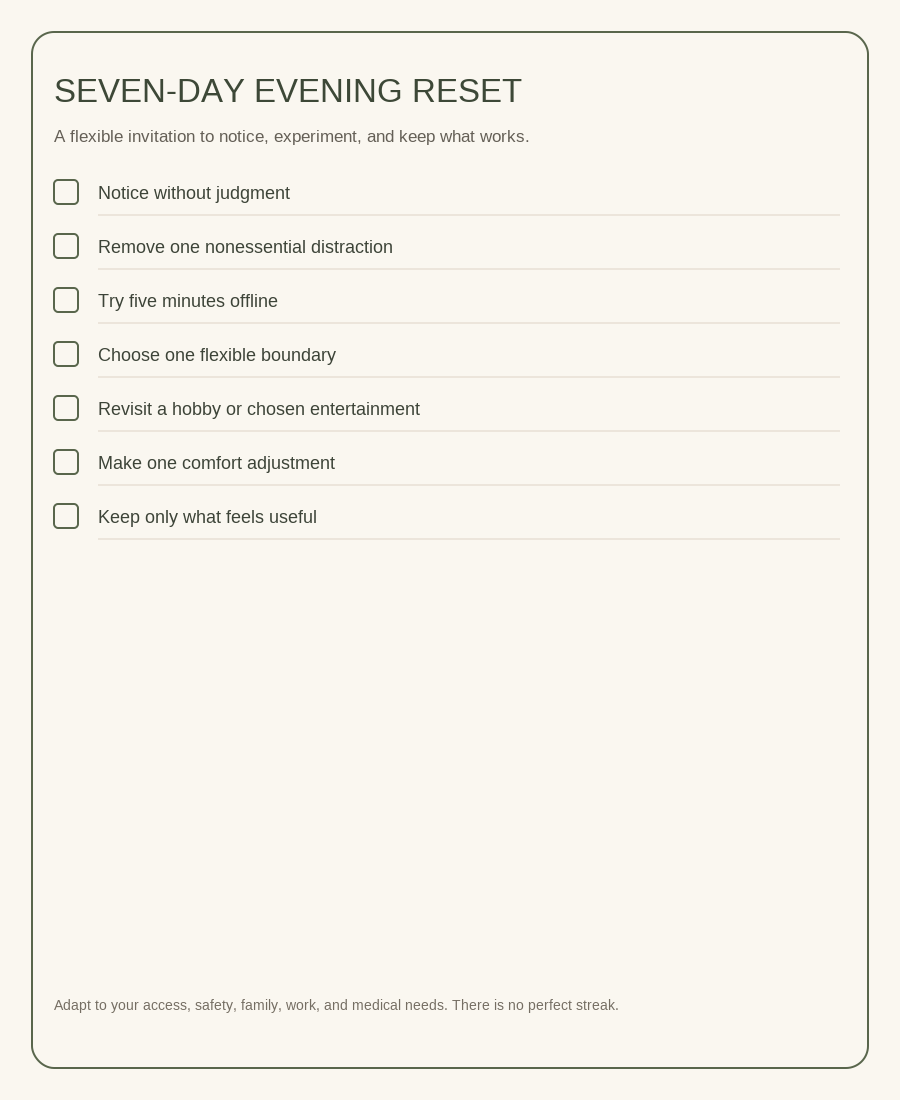
Try a seven-day reset, with room to miss a day
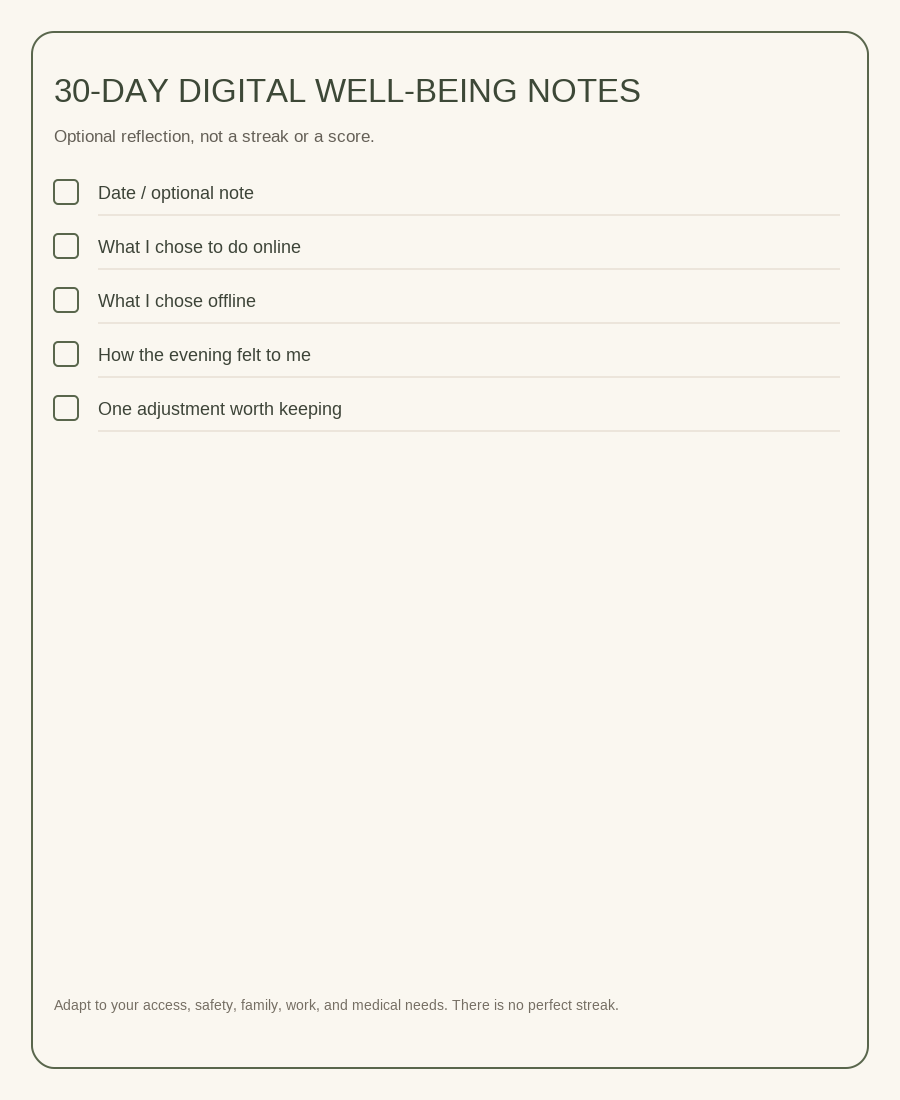
A thirty-day digital well-being experiment
Week 1 · Observe
Notice which digital activities leave you glad you chose them and which feel automatic. Data collection is optional.
No streaks; skipped days are expected.Week 2 · Adjust
Try one or two low-effort changes, such as a selected stopping point or fewer nonessential notifications.
No streaks; skipped days are expected.Week 3 · Explore
Test alternatives that meet the same need: company, entertainment, quiet, creativity, or rest.
No streaks; skipped days are expected.Week 4 · Integrate
Keep what works for your actual schedule. Revise, pause, or stop the experiment at any time.
No streaks; skipped days are expected.Make your existing space feel inviting
Try what you already have: a comfortable seat, an accessible lamp, a book or hobby material within reach, and a clear walking path. Choose safe lighting. Never leave an open flame unattended. A cozy room does not require new candles, decor, or devices.
For related reading, see Cozy Home vs Cluttered Home, Warm Lighting vs Cool Lighting, and Visual Clutter vs Intentional Decor.
When screen-free evenings may not fit
Evening technology may be essential for caregiving, work, safety, accessibility, medical monitoring, online education, irregular shifts, long-distance connection, or a valued community. An all-screen ban can remove support without solving the underlying problem. Use boundaries around nonessential use while protecting alerts, devices, and people you need.
Twenty common routine mistakes—and gentler alternatives
Eliminating every screen at once
An all-or-nothing rule can conflict with work, care, safety, and valued entertainment.
Practical alternative: Try one optional, reversible boundary first. Example: keep calls and care alerts; mute one nonessential app. Free option: built-in settings. Limitation: some people prefer full breaks, but only when access needs allow.
Building an elaborate routine
Many steps can make evenings feel like another assignment.
Practical alternative: Choose one enjoyable anchor. Example: a few pages, then decide what comes next. Free option: use a book already at home. Limitation: structure can still suit people who enjoy it.
Buying detox accessories
A purchase does not guarantee a behavior change.
Practical alternative: Test a free setting or existing location first. Example: place the phone on a nearby shelf if safe. Free option: built-in Focus settings. Limitation: never make emergency or medical access inconvenient.
Treating all entertainment as harmful
This overlooks enjoyment, connection, and learning.
Practical alternative: Consider whether you chose it and enjoyed it. Example: keep the movie you planned to watch. Free option: select existing entertainment. Limitation: content can still delay bedtime for some.
Ignoring essential communication
A broad mute may create caregiving or safety risks.
Practical alternative: Silence only nonessential alerts. Example: preserve priority calls. Free option: configure existing settings. Limitation: device menus differ; verify medical alerts.
Expecting immediate sleep improvement
Sleep has many influences and may not change overnight.
Practical alternative: Notice patterns; seek evaluation for persistent concerns. Example: one screen-free night is not a cure. Free option: a feasible regular schedule. Limitation: do not delay needed care.
Replacing leisure with chores
The new routine may miss a need for recovery.
Practical alternative: Keep some time truly free. Example: rest instead of turning every phone-free break into cleaning. Free option: sit comfortably. Limitation: necessary care tasks still matter.
Making rest depend on productivity
Leisure need not be earned.
Practical alternative: Allow an activity without a task attached. Example: enjoy a song before checking off anything. Free option: listen to familiar music. Limitation: gentle planning may still be enjoyable for some.
Copying influencer routines
Online routines may not reflect work, health, family, or access constraints.
Practical alternative: Adapt to your real schedule. Example: shift workers can choose a wind-down at their own bedtime. Free option: one familiar step. Limitation: inspiration can still be useful when customized.
Using rigid screen-time rules
Fixed cutoffs may not fit shift work, study, or connection.
Practical alternative: Try an activity-specific cue. Example: finish one episode rather than stop at a universal hour. Free option: use a natural endpoint. Limitation: a firm rule may suit someone who chooses it.
Ignoring why you scroll
A replacement may fail to meet the underlying need.
Practical alternative: Name the need first. Example: call someone if the goal is company. Free option: use existing communication. Limitation: needs differ night to night.
Focusing only on blue light
This misses time displacement, stimulation, and notifications.
Practical alternative: Consider the whole activity. Example: set an optional stopping cue as well as dimming brightness. Free option: select less stimulating content. Limitation: light exposure is still biologically relevant.
Choosing an unappealing alternative
An activity you dislike is difficult to sustain.
Practical alternative: Pick something you genuinely enjoy. Example: choose music over journaling. Free option: listen to something already available. Limitation: trying something new can involve brief boredom.
Changing every habit at once
It becomes harder to tell what fits.
Practical alternative: Test one manageable adjustment. Example: try fewer alerts before changing bedtime. Free option: use an existing setting. Limitation: combined changes are fine if preferred.
Comparing screen-time totals
Minutes alone do not describe purpose or experience.
Practical alternative: Reflect on your own satisfaction. Example: distinguish a video call from repeated feed checking. Free option: observe without tracking. Limitation: self-estimates may be imprecise.
Calling one evening a failure
Shame can make a flexible experiment harder.
Practical alternative: Resume or revise when convenient. Example: choose a five-minute version tomorrow. Free option: no streak or purchase is needed. Limitation: persistent distress merits support.
Ignoring accessibility
Devices may provide essential assistive functions.
Practical alternative: Keep accessibility tools available. Example: preserve screen reader or caption settings. Free option: use built-in features. Limitation: offline alternatives are not always more accessible.
Assuming expensive gear creates habits
Cost does not guarantee consistency or health outcomes.
Practical alternative: Start with existing tools. Example: try your regular lamp before shopping. Free option: use paper or existing settings. Limitation: a product may still be personally convenient.
Neglecting persistent concerns
A routine experiment cannot assess health causes.
Practical alternative: Discuss ongoing symptoms with a qualified clinician. Example: persistent daytime sleepiness deserves evaluation. Free option: note questions on existing paper. Limitation: this article cannot diagnose.
Turning well-being into another obligation
Pressure can contradict the goal of meaningful rest.
Practical alternative: Pause, simplify, or stop the experiment. Example: stop tracking if it causes anxiety. Free option: unstructured leisure. Limitation: seek appropriate support if distress persists.
Screen-free evening myths vs facts
Myth: All evening screen time is harmful.
A more careful view: Content, purpose, timing, and the individual matter.
Evidence varies by question; avoid universal claims.Myth: Blue light is the only issue.
A more careful view: Time displacement, stimulation, and interruptions may also matter.
Evidence varies by question; avoid universal claims.Myth: Night mode makes phone use harmless.
A more careful view: It may alter color; it does not add stopping points or change content.
Evidence varies by question; avoid universal claims.Myth: Everyone needs exactly one screen-free hour.
A more careful view: A universal cutoff is not appropriate for every schedule or person.
Evidence varies by question; avoid universal claims.Myth: Television is always better than a phone.
A more careful view: Distance and interaction differ, but content and timing still count.
Evidence varies by question; avoid universal claims.Myth: Digital entertainment is wasted time.
A more careful view: Enjoyment, connection, and learning can be meaningful leisure.
Evidence varies by question; avoid universal claims.Myth: Screen-free means productive.
A more careful view: Rest and doing nothing are valid uses of time.
Evidence varies by question; avoid universal claims.Myth: Blue-light glasses are essential.
A more careful view: Evidence for sleep benefit is uncertain; they are optional, not treatment.
Evidence varies by question; avoid universal claims.Myth: One late night ruins healthy habits.
A more careful view: One evening does not define a pattern. Resume or adapt when convenient.
Evidence varies by question; avoid universal claims.Myth: Reducing screens guarantees better mental health.
A more careful view: No guarantee; distress has many possible causes.
Evidence varies by question; avoid universal claims.Myth: Delete every social app to change.
A more careful view: Smaller boundaries can work; access may also be valuable.
Evidence varies by question; avoid universal claims.Myth: All screen time is the same.
A more careful view: A video call, e-book, work task, and feed differ in function and context.
Evidence varies by question; avoid universal claims.Eight realistic evening scenarios
After-work scroller
A demanding day may make low-effort entertainment appealing. Try a planned short check followed by a selected show, call, or book—if you want a change.
Hypothetical example; not a clinical case.Busy parent
Late-night scrolling may be the only quiet leisure. Protect some leisure; consider whether one small earlier pause is realistic.
Hypothetical example; not a clinical case.Student
Coursework, messages, and entertainment overlap. Use a stopping cue for one task, not a blanket screen ban.
Hypothetical example; not a clinical case.Late-night news reader
Repeated updates can feel compelling or distressing. Choose one check-in window or a trusted summary; keep urgent alerts.
Hypothetical example; not a clinical case.Long-distance couple
Video calls are meaningful connection. Keep them; adjust only if they regularly conflict with a sleep schedule you want to protect.
Hypothetical example; not a clinical case.Low-energy reader
There may be little capacity for crafts or chores. A familiar program, audiobook, or rest can be the right choice.
Hypothetical example; not a clinical case.Weekend entertainment lover
A film or game may be deliberate leisure. There is no need to replace it just because it uses a screen.
Hypothetical example; not a clinical case.Persistent sleep concerns
Screen changes alone may not address ongoing symptoms. Discuss persistent problems with a qualified clinician.
Hypothetical example; not a clinical case.A quick reflection, without scoring yourself
This is a prompt for personal reflection—not a score, screening tool, or diagnosis.
0 prompts marked for later reflection. This choice stays on this page and is not stored.
Small boundaries that preserve essential contact
Optional items—not requirements
Products cannot guarantee better sleep or a healthier relationship with technology. Existing objects and free alternatives may work just as well. Selected supportive tools are optional; start with what you already own.
Giftable Amber Book Light - Blue Light Blocking - Night Reading Booklight Store. Rechargeable. 1600K for Reading in Bed at Night. Perfect as a Giftable Kindle Light and LED Book Light.
A directed light may make existing reading easier.
Free alternative: Reposition a suitable lamp you already own.
Intelligent Change: The Five Minute Journal - Daily Gratitude Journal for Happiness, Mindfulness, and Reflection - Undated Life Planner
A notebook can make short notes convenient.
Free alternative: Use paper or a notes app already available.
Norberg & Linden XXL Drawing Set - Sketching and Charcoal Pencils. 100 Page Drawing Pad, Kneaded Eraser, and Graphite. Art Set for Kids, Teens and Adults
Basic tools support an activity you already enjoy.
Free alternative: Use existing supplies or improvise safely.
Snuggle Sac Waffle Throw Blanket for Couch Bed Sofa 50x60 inches, Reversible Beige Blanket Microfiber Fluffy Fuzzy Cozy Knit Soft Throws for Women Mothers Birthday Gifts
An extra layer may suit a cool room.
Free alternative: Use a blanket or clothing you already own.
Adult Jigsaw Puzzle 1000 Piece Camping Scene
A familiar game offers a natural stopping point.
Free alternative: Use a game you already have or a conversation.
Hotmoon Sound Machine Alarm Clock, Luna, 45 Sounds, Dual Alarms, Plug In
Some people prefer a separate alarm.
Free alternative: Use an existing clock or phone settings.
Affiliate disclosure: If qualifying affiliate recommendations are activated in the future, links will be clearly disclosed. As an Amazon Associate I earn from qualifying purchases. Product recommendations are verified for reader convenience.
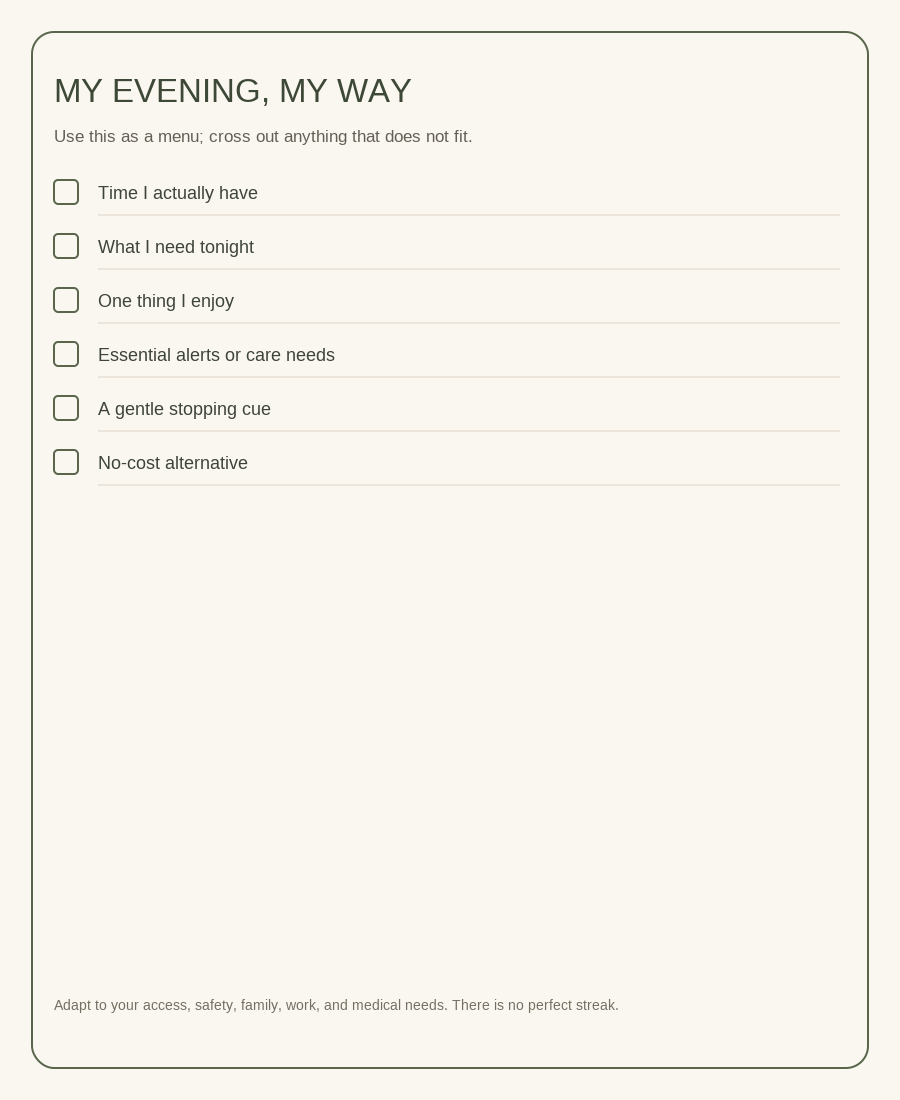
Printable planning sheets
When additional support may help
If difficulty falling or staying asleep, significant daytime sleepiness, persistent distress, or a pattern that interferes with essential responsibilities continues, a qualified clinician can help explore possible causes. Sleep and emotional difficulties can have many physical, psychological, social, and environmental contributors. This article is educational and is not a substitute for medical or mental-health care.
Frequently asked questions
What is a screen-free evening?
A screen-free evening is a chosen period when you replace some or all screen activities with offline leisure, conversation, practical routines, or quiet time. The boundary can be as short as a meal or fifteen minutes.
Are screen-free evenings better than scrolling evenings?
Not automatically. The useful comparison is whether your evening activities match your preferences, responsibilities, and sleep needs. Intentional digital entertainment can be valuable; unwanted scrolling may displace something you wanted to do.
Can using my phone at night affect sleep?
It can for some people through light exposure, time displacement, stimulating content, or interruptions. The evidence varies by age, activity, timing, and study design; avoiding screens does not guarantee better sleep.
Is blue light the only issue?
No. Timing and intensity of light matter, but so can bedtime delay, emotional or cognitive stimulation, alerts, and the activity itself.
What is bedtime procrastination?
It describes going to bed later than intended when no external circumstance prevents it. It is a research concept, not a diagnosis.
Do I need to avoid screens for an entire evening?
No. Try a boundary that fits your needs: a meal, a short wind-down, a selected show instead of browsing, or fewer nonessential alerts.
Are blue-light-blocking glasses necessary?
No. A Cochrane review found uncertain effects on sleep and little or no short-term effect on some visual outcomes. Lower brightness or changing timing may be free alternatives, but neither is a treatment.
Can watching television be part of an intentional evening?
Yes. A selected program can be intentional leisure. Content, brightness, timing, and whether it postpones sleep still matter.
Are e-readers different from smartphones?
Some use e-paper while others emit light. Smartphones also tend to be more interactive and notification-rich, though settings and individual devices vary.
Can listening to an audiobook be screen-free?
Listening does not require looking at a display, although the playback device may still show alerts or autoplay.
What can I do instead of scrolling at night?
Choose an activity that meets the same need: entertainment, connection, quiet, creativity, or rest. It can also be selected digital entertainment.
How can I stop automatic phone checking?
Try one small cue change or optional stopping point, preserve essential alerts, and keep only adjustments that feel useful.
How can I reduce screen use without feeling bored?
Try an appealing activity, choose a specific show or chapter, or keep digital leisure and add a natural endpoint.
Can I have a screen-free evening with a full-time job?
If useful, start with a brief transition or one chosen activity. A whole evening is not required.
What are easy screen-free ideas for parents?
A shared meal, brief conversation, or short accessible pause may fit. Preserve caregiving communication and necessary alerts.
Can I practice intentional use without deleting social media?
Yes. Intentional use can mean choosing when and why to open an app; deleting it is not required.
How can I create a cozy evening routine?
Use existing comfortable seating, safe lighting, accessible materials, and activities that fit your energy and preferences.
What can I do during a 15-minute offline break?
Read a few pages, listen to music, rest, take a brief personal-care step, or talk with someone.
How much time could I reallocate by scrolling less?
Multiply the intended daily reduction by the days you choose. The result is an arithmetic scenario, not a forecast.
Can a screen-free evening help me relax?
It may suit some people; others relax through digital content. Your experience and needs matter.
What if I enjoy spending my evening online?
Enjoy it. Consider a change only when a pattern feels unwanted or conflicts with something important to you.
When should sleep problems be professionally evaluated?
Consider talking with a qualified clinician when trouble sleeping, marked daytime sleepiness, or related distress persists or interferes with everyday life.
Final thought
Keep the digital activities that bring connection, delight, convenience, or meaning. If some scrolling feels unwanted, try one small, reversible change and notice whether it makes your evening feel more like your own. No perfect streak is required.
Sources and evidence notes
- Brosnan B, et al. Screen Use at Bedtime and Sleep Duration and Quality Among Youths. JAMA Pediatrics. 2024. Repeated-measures cohort of 79 youths aged 11–14.9; objective measures showed activity-specific associations. Small, age-specific sample; associations are not proof of causation for all adults.
- Brautsch LA, et al. Digital media use and sleep in late adolescence and young adulthood: A systematic review. Sleep Medicine Reviews. 2023;68:101742. Review of observational studies in people aged 16–25; associations were found for some media and sleep outcomes. Authors note causal direction and mechanisms remain uncertain.
- Kroese FM, et al. Bedtime procrastination: introducing a new area of procrastination. Frontiers in Psychology. 2014;5:611. Conceptual paper and online survey (N=177); relied on self-report and does not create a clinical diagnosis.
- Chang AM, et al. Evening use of light-emitting eReaders negatively affects sleep, circadian timing, and next-morning alertness. PNAS. 2015;112(4):1232–1237. Controlled laboratory crossover study; useful for biological plausibility, but its tightly controlled exposure should not be generalized to all consumer-device use.
- Singh S, et al. Blue-light filtering spectacle lenses for visual performance, sleep, and macular health in adults. Cochrane Database of Systematic Reviews. 2023;8:CD013244. Review of 17 heterogeneous RCTs; sleep-quality effects were indeterminate and trials had methodological limitations.
- National Heart, Lung, and Blood Institute. Healthy Sleep Habits. Updated March 24, 2022. Public-health guidance on sleep opportunity, schedule, quiet time, and environment; individual circumstances differ.
- Watson NF, et al. Recommended Amount of Sleep for a Healthy Adult: A Joint Consensus Recommendation of the AASM and SRS. Sleep. 2015;38(6):843–844. Consensus recommendation of seven or more hours regularly for adults; a sleep-duration recommendation, not a rule about screen use.
Educational information only. This article does not diagnose or treat a sleep, mental-health, or behavioral condition. Seek individualized advice from a qualified professional when symptoms persist or significantly affect daily life.